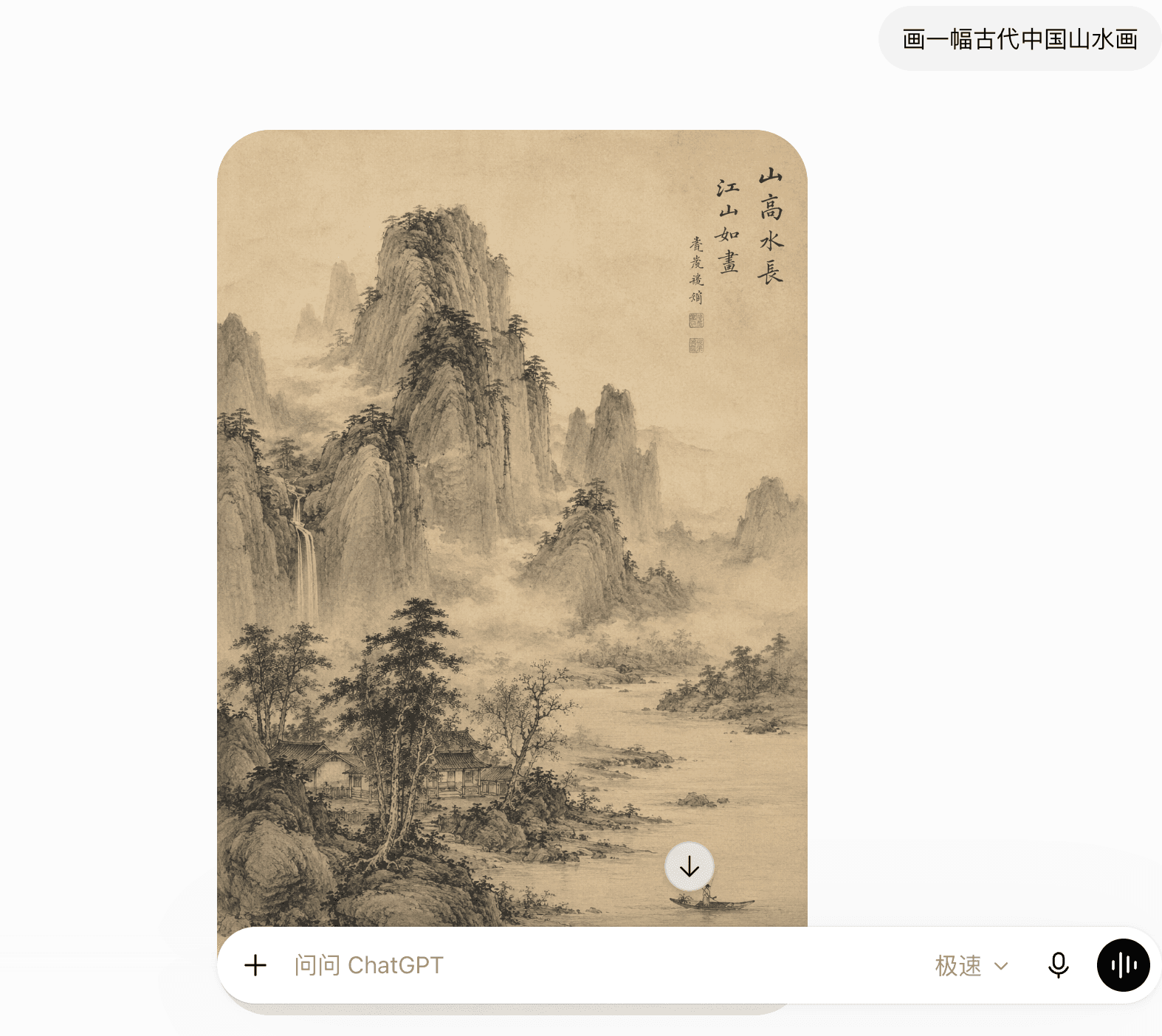
On June 15, 2026, I opened ChatGPT on my iPhone and made a simple request: “Create an ancient Chinese landscape painting.”
The image appeared quickly and contained far more detail than I expected. I was surprised by the speed, fluency, and richness of the result. More than anything, I became curious about what else the tool could do.
The useful lesson came after the surprise
A vague request often led to a general result. When I made my request more specific, ChatGPT had a clearer direction. That was when I began to understand that using AI well was not only about what the tool could do. It was also about learning how to ask.
You do not need to begin with model names, advanced settings, or a long list of prompts. Begin with curiosity. Then use the same conversation process to finish one small task you already understand.
Before you start
Open chatgpt.com or the ChatGPT app. Depending on your region and the current interface, you may be able to try it before creating an account, or you may be asked to sign in.
I subscribed to the $20 Plus tier through the iPhone App Store when I began. That was my choice, not something a beginner needs to do. I later upgraded only after I was using Codex often enough that the available usage was no longer sufficient.
Start with the free option until you discover a task you want to repeat and understand which paid feature or limit would actually help.
Step 1: Start with curiosity
Your first message does not need to be productive. It only needs to help you see how the conversation works.
Try one of these:
- “Hello. What can you do?”
- “Please explain artificial intelligence to me.”
- “Write a short poem about spring.”
- “Create an ancient Chinese landscape painting.”
Then compare a vague request with a clearer one:
Write a poem about spring.
Write a four-line poem about the first warm morning of spring. Use simple language and a calm tone.
The second request gives ChatGPT a subject, length, level of language, and tone. It does not guarantee a perfect result, but it gives the tool a clearer direction.
Step 2: Choose a task you can judge
Avoid a first task where a wrong answer could seriously harm you. Do not begin by asking ChatGPT to diagnose an illness, make an investment decision, interpret a legal agreement, or decide whether you should leave your job.
A short email is a good first practical task because you already know who will receive it, what you want to say, how you want to sound, and whether the result feels right.
Why English email was useful to me
My English is limited, especially when I need to communicate with people abroad. Compared with the translation tools I had used before, ChatGPT produced English that felt more natural and better suited to the situation.
The draft was not ready to send without checking. I still needed to explain who I was writing to, what had happened, which facts it needed to include, and how I wanted to sound. Even with those checks, it noticeably reduced the time I spent drafting an English email.
Step 3: Give ChatGPT the missing context
In my real test, I wrote this in Chinese:
给我在美国的好朋友写一封邮件,询问他的近况,以及向他请教AI在那边的社会影响和发展趋势。
In English, this means:
Write an email to my good friend in the United States. Ask how he has been, and ask for his views on AI’s social impact and development there.
ChatGPT produced an English draft with the subject “How Have You Been? A Few Questions About AI in the U.S.” The opening greeting was “Hi [Friend’s Name],” because I had not supplied the name yet.
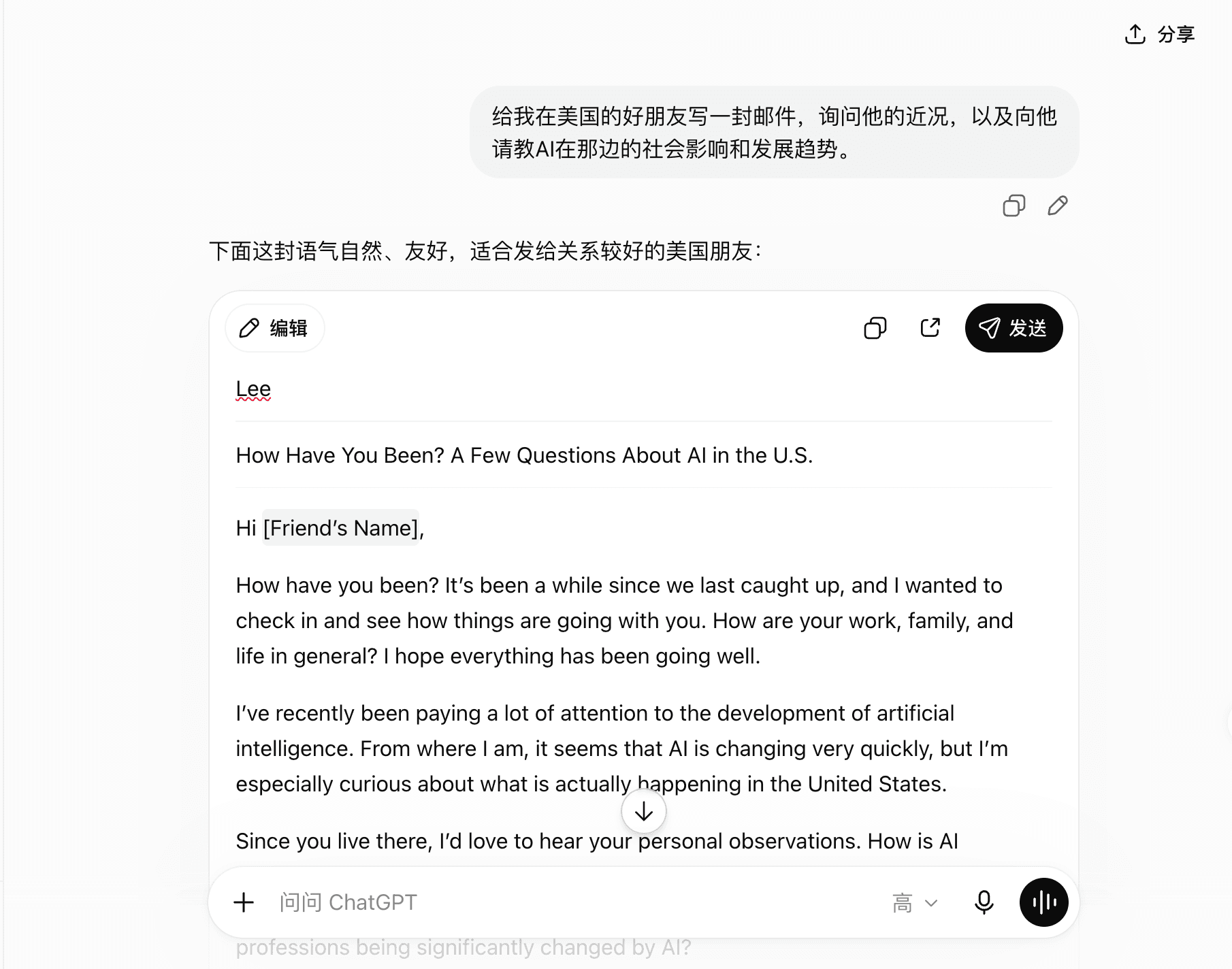
My request had supplied four useful details:
- The task: write an email
- The reader: a good friend in the United States
- The first purpose: ask how he has been
- The second purpose: ask about AI’s local social impact and development
I had not provided my friend’s preferred name, the desired length, or the number of questions. I had not even explicitly asked for English; ChatGPT inferred that from the situation.
If I wrote the prompt again, I would remove those guesses:
Write a friendly email in natural American English to a close friend in the United States. First ask how he and his family are doing. Then ask for his personal observations of how AI is affecting daily life and work there. Keep it under 180 words and ask no more than three questions. His preferred name is Li.
Step 4: Read the answer as a draft
Do not copy the answer immediately. Check:
- Are the names and facts correct?
- Does it say what you actually mean?
- Is the tone suitable for this person?
- Did ChatGPT invent a promise, date, price, or detail?
- Is there anything you would never say?
The first answer is not a test you pass or fail. It is a starting point.
Step 5: Improve it with a follow-up
You can continue in the same conversation. You do not need to rewrite the entire prompt. My actual follow-up was only:
朋友姓李
ChatGPT changed the greeting to “Hi Li.” In this case, the edit was appropriate because my friend normally uses Li as his name.
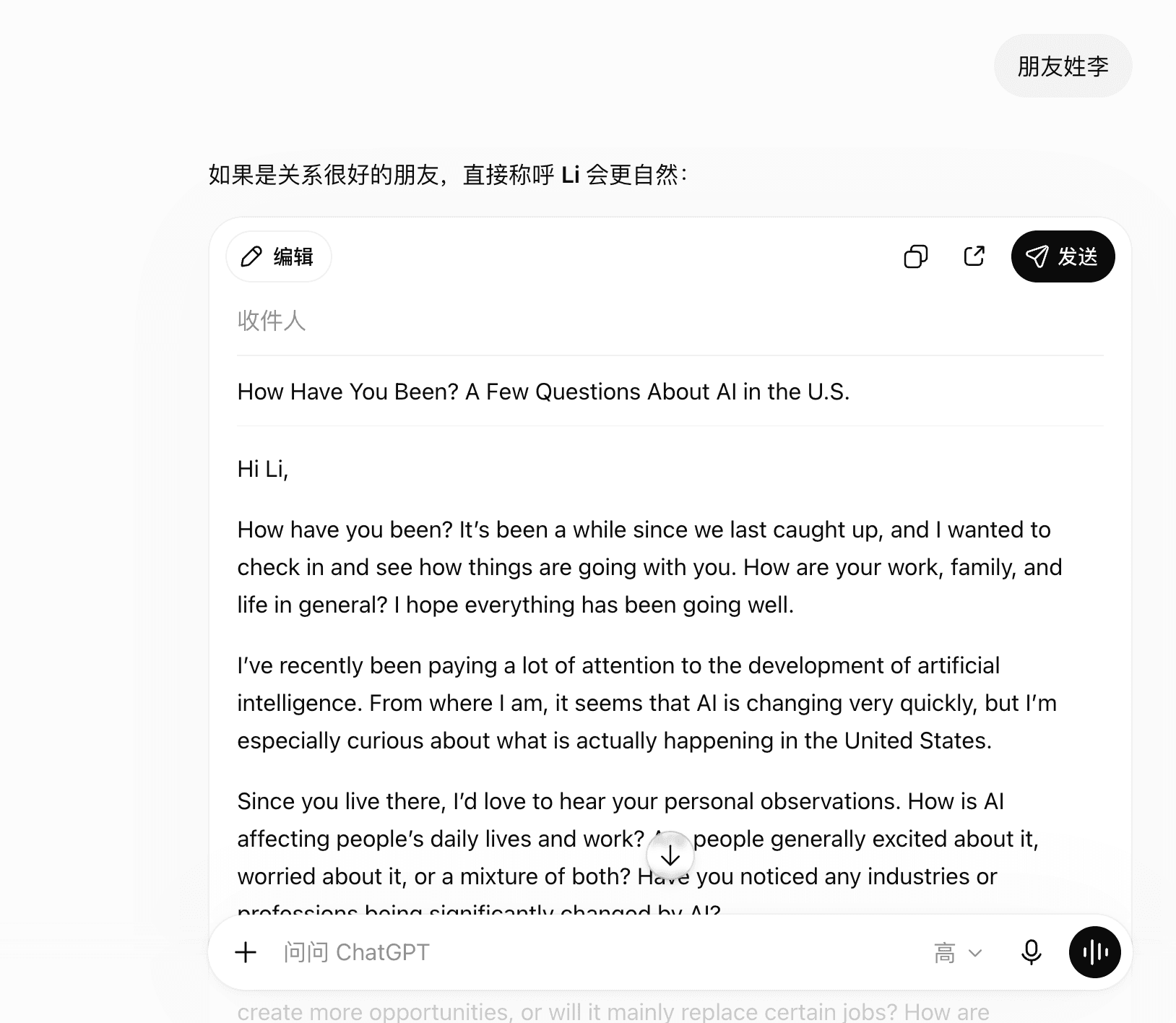
The broader lesson is to provide the name a person actually prefers, rather than assuming that a surname is always the right greeting.
Other useful follow-ups include:
- “Make it shorter.”
- “Use simpler words.”
- “Keep the first paragraph, but make the ending warmer.”
- “Give me three subject line options.”
- “What information are you still assuming?”
Step 6: Make the result yours
Correct every factual detail
Check names, dates, numbers, and promises.
Remove language you would not use
The final email should still sound like you.
Add the context your reader needs
ChatGPT does not know your relationship or history.
Read it aloud once
Awkward or overly formal phrases are easier to notice.
Take responsibility for the final message
Send it only when you are satisfied it is accurate.
Your first ten-minute checklist
- Open ChatGPT and start with the free option
- Try one simple, low-pressure prompt
- Choose one low-risk task you can judge
- Explain the goal and useful context
- Read the first answer as a draft
- Give one follow-up instruction
- Check every important fact
- Keep private information out of the prompt
- Make the final decision yourself
Try it now
Start with one small task.
Describe what you need in your own words. If the first answer misses the point, add one useful piece of context and try again.
Try the Ask tool →Common questions
Do I need to pay for ChatGPT?
No. Start with the free option. Consider paying only after you understand which recurring task or usage limit makes an upgrade useful to you.
Do I need to write in English?
No. Start in the language you know best. Clear context matters more than trying to sound technical.
Do I need a long prompt?
No. Include the details that change the answer and leave out information that does not matter.
Is everything ChatGPT says correct?
No. Treat the output as a draft or suggestion. Verify important facts and use qualified help for medical, legal, financial, employment, and safety decisions.